Noise. It tends to happen in a classroom..! That's all well and good when there's positive collaboration work going on, but there's definitely a limit as to what is acceptable! Many have come up with a visual stimuli to show students the volume of the classroom, as it is a useful tool; all the ones I have seen look great but take a lot of involvement from the teacher to monitor.
This blog is all about making your day that "little bit lighter", so I found this glorious website that needs no input from you whatsoever...!
This blog is all about making your day that "little bit lighter", so I found this glorious website that needs no input from you whatsoever...!
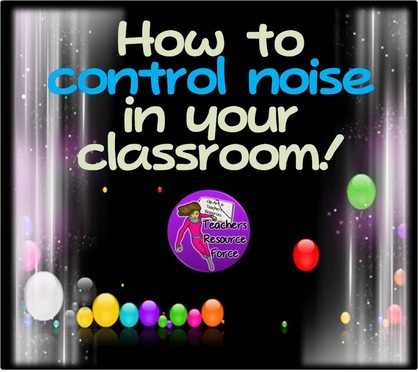
This is called 'Bouncy Balls'! The only things you need are, a computer/laptop connected to a projector screen, a microphone (either inbuilt to your computer or a stand alone one) and access to the internet. Alternatively you could use a tablet! No paper, clothes pegs, pins, pens - nothing!
Simply load this up on the whiteboard while students are doing their tasks and immediately the balls will respond to the noise in the room! If it's lovely and quiet, the balls calmly twitch at the bottom of the screen, but once noise happens, well they start bouncing!
Keep your class encouraged to keep the noise down, by allowing them to see for themselves how they are doing and reward accordingly!
You can get this awesome resource HERE!
For more ideas:
Simply load this up on the whiteboard while students are doing their tasks and immediately the balls will respond to the noise in the room! If it's lovely and quiet, the balls calmly twitch at the bottom of the screen, but once noise happens, well they start bouncing!
Keep your class encouraged to keep the noise down, by allowing them to see for themselves how they are doing and reward accordingly!
You can get this awesome resource HERE!
For more ideas:

















 RSS Feed